
The Ultimate Guide to Buy IPTV Subscriptions in 2026

The first time I tried to buy IPTV, I ended up on a website that looked like it was built in 2008 — broken images, a PayPal button that redirected to a different domain entirely, and a channel list that was just a screenshot of someone else's TiviMate setup. I almost entered my card details anyway because I was impatient and figured it couldn't be that bad. It absolutely could have been. Closed the tab, took a step back, and started researching how to actually buy IPTV without getting scammed, overcharged, or locked into something I'd regret within a week. That research — plus the experience of buying from eleven different providers over two years — taught me exactly what the buying process should look like, what red flags to walk away from, and how to protect your money when you're ready to pay. If you're at the point where you've decided IPTV is for you and you want to know how to buy it safely and smartly, this is every lesson I've paid for condensed into one guide so you don't have to repeat my mistakes.
Buying IPTV should be straightforward — find a provider, pick a plan, pay, start watching. But the market is unregulated, full of fly-by-night operations, and designed to separate impulsive buyers from their money. The difference between a great purchase and a regrettable one comes down to knowing what to check before you hand over payment. Five minutes of verification saves months of frustration.
Core Concepts & Need-To-Know Info
- Buy IPTV: Purchasing a subscription from a provider that gives you access to live TV channels, sports, on-demand movies and series, and a programme guide — all streamed through an app on your Firestick, Android TV, Smart TV, or phone. You're buying access credentials that connect your player app to their servers.
- Subscription Plans: Most providers offer monthly, quarterly, semi-annual, and annual options. Monthly gives maximum flexibility. Longer plans offer discounts but carry risk if the provider declines. The right plan depends on how long the provider has proven themselves to you — not how good their website looks.
- Connections: How many devices can stream simultaneously. One connection means one screen at a time. Two means living room and bedroom together. Always check the connection count before buying because upgrading later often costs more than choosing the right plan upfront.
- Xtream Codes API: The connection method your player uses to access the provider. You receive a server URL, username, and password after buying. Paste into TiviMate and your channels load. Faster and more reliable than M3U for daily use.
- M3U Playlist: An alternative connection method using a single URL. Universally supported by every IPTV player. Some providers send both Xtream Codes and M3U credentials — keep both, use Xtream Codes as primary.
- Payment Methods: How you pay determines your protection if something goes wrong. PayPal offers buyer disputes. Credit cards offer chargebacks. Bank transfers and cryptocurrency offer nothing. This matters more than most people realise when buying IPTV.
Step-by-Step Guide to Buying IPTV Safely
- Step 1: Find Providers Through Community Recommendations, Not Google Ads
- Google's top results for buy IPTV are either affiliate sites earning commission on every recommendation or providers who've paid for ad placement. Neither source is objective. Go to Reddit, IPTV forums, and community Discord servers. Search for real user experiences. The feedback you want is specific — "been using them for four months, sports held up during every NFL Sunday" — not generic — "amazing service, best IPTV ever." Compile a shortlist of three providers that have consistent positive mentions from accounts with real post histories.
- Step 2: Always Trial Before You Buy
- Never buy IPTV without testing first. Request a free trial from each provider on your shortlist — at least 24 hours, no credit card required. If a provider won't offer a trial, cross them off immediately. They don't trust their own product. Set up your device before the trial credentials arrive so you don't waste testing time on installation. On Firestick, enable sideloading under Settings, My Fire TV, Developer Options. Install TiviMate through Downloader. When your trial arrives, paste the Xtream Codes credentials and start evaluating.
- Step 3: Test During Peak Hours on Multiple Evenings
- Between 7 PM and 11 PM, stream live content for at least 30 minutes on two separate evenings. Watch sports if that's important to you. Test VOD — open five movies and skip around. Check the EPG for correct times. If the trial spans a weekend, test Saturday and Sunday evenings specifically because those are the highest-demand periods. I run the same tests on every provider before I buy IPTV from them. One good evening could be luck. Two consecutive good evenings is a pattern worth paying for.
- Step 4: Verify What's Included in the Plan Before Paying
- Check the plan details carefully. How many connections? Is VOD included or a paid add-on? Does the EPG come standard? Is catch-up TV available? Are there restrictions on device types — some providers charge extra for mobile access. Is there a fair usage policy that limits hours or bandwidth? Read everything before you click Buy. I've been caught once by a provider who listed VOD as a separate 3 dollar add-on that wasn't obvious on their pricing page. Found out after paying when the VOD section was empty and support told me I needed the premium tier. Read the fine print.
- Step 5: Choose the Right Plan Length
- Always start monthly. I know quarterly and annual plans are tempting because they're cheaper per month. But buying a longer plan from a provider you haven't used for at least 60 days is gambling. Trial performance and long-term performance aren't always the same. I've been burned twice by going quarterly after a great trial — quality dropped by month two and I had prepaid time on a service I wanted to leave. Start monthly. If quality holds for two full months, then upgrade for the discount. That patience saves real money.
- Step 6: Pay Using a Method That Protects You
- PayPal is my first choice every time I buy IPTV. It offers buyer protection and a dispute process if the provider doesn't deliver. Credit card is second — you have chargeback rights through your bank. Debit card is third, with less protection but still some recourse through Visa or Mastercard dispute processes. Bank transfer is a last resort — once sent, it's gone. Cryptocurrency is the same — irreversible. If a provider only accepts crypto or bank transfer and refuses PayPal or card, that's a deliberate choice to avoid accountability. I won't buy IPTV from anyone who doesn't accept PayPal or credit card. The payment method is a trust signal in itself.
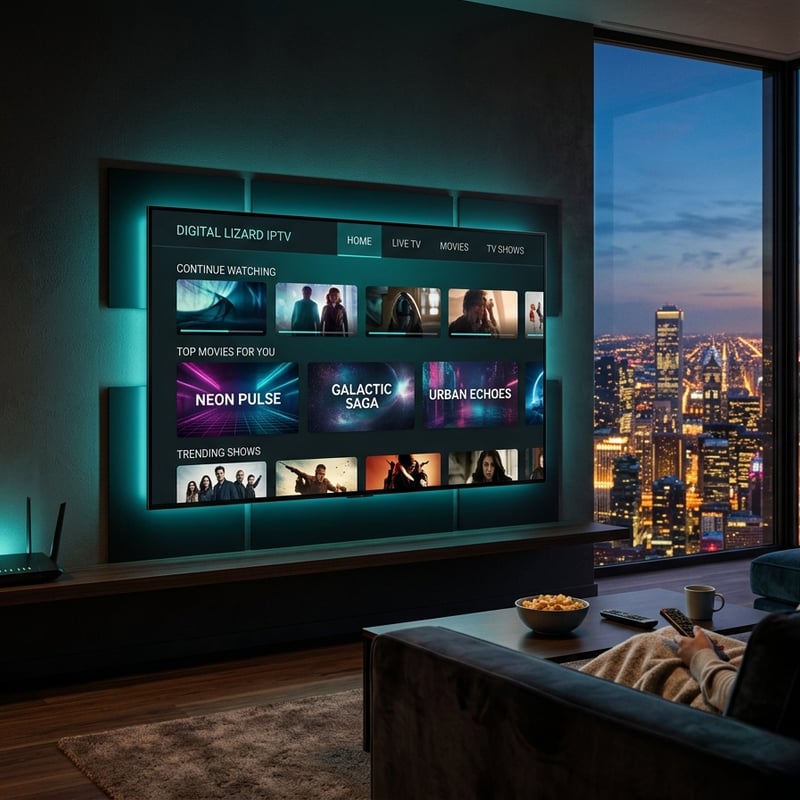
The flash sale trap almost got me early on. A provider was running a "48-hour only" deal — 50 percent off the annual plan. I nearly bought it without trialling because the discount felt too good to miss. Thankfully, I paused long enough to request a trial first. Tested it that evening. Multiple sports channels buffered during peak hours. VOD was half broken. EPG times were wrong by two hours. If I'd bought that annual plan at full price it would've been bad. Buying it on a panicked impulse because of a fake deadline would've been worse. The "sale" was still running a month later, by the way. It was never time-limited. And the loaded Firestick scam hit my neighbour. Paid 70 dollars on Facebook for a device he could've bought for 35 from Amazon, with IPTV service that lasted exactly 22 days before the channels stopped loading and the seller vanished.
What Happens After You Buy IPTV
After you complete payment, your provider sends credentials — usually within minutes to a few hours. You'll receive either Xtream Codes details (server URL, username, password) or an M3U link, or both. Save these credentials somewhere secure and independent from the provider — a note on your phone, a password manager, anywhere you control. If the provider's website goes down, your TiviMate connection still works as long as you have the server credentials. Open TiviMate, add your playlist using Xtream Codes, paste the credentials, and your channels load. Set up your favourites immediately — spend 15 minutes starring the 50 to 80 channels you'll actually watch. This single habit transforms the daily experience. Enable EPG auto-update every 4 hours so your programme guide stays current. And set a calendar reminder for three days before your renewal date. This gives you time to cancel if you've decided to switch, and prevents the surprise auto-charges that catch people who forget about active subscriptions.
How Much Should You Pay When You Buy IPTV
Real pricing in 2026 looks like this. A quality single-connection subscription runs 10 to 18 dollars per month. Two connections costs 14 to 24 dollars. Three connections sits at 18 to 30 dollars. Quarterly plans typically discount monthly pricing by 15 to 20 percent. Annual plans can save up to 40 percent. Anything under 8 dollars monthly should raise questions. At that price, the provider is either oversubscribing their servers, operating on margins too thin to sustain support and updates, or running a short-term cash grab before disappearing. Anything over 25 dollars for a single connection should include genuine premium features — 4K channels, extended catch-up, priority servers, premium support. On top of the subscription, budget about 5 to 8 dollars monthly for a VPN — ExpressVPN, NordVPN, or Surfshark — and 5 dollars per year for TiviMate premium. Your total monthly cost for a complete IPTV setup lands between 18 and 28 dollars, replacing a cable bill that typically runs 100 to 200 dollars. The savings are significant even accounting for VPN and app costs.
Device Setup After You Buy IPTV
Your IPTV subscription is only as good as the device running it. The Amazon Firestick 4K Max is the sweet spot — about 40 to 55 dollars, handles everything smoothly, and TiviMate runs on it beautifully. If you don't already have one, ordering it alongside your IPTV purchase makes sense. Once it arrives, plug it into your TV's HDMI port, connect to WiFi, and run through Amazon's setup. Then enable sideloading — Settings, My Fire TV, Developer Options, Install Unknown Apps for Downloader. Install Downloader from the Amazon store. Open Downloader, type the TiviMate URL, download and install. Add your IPTV credentials using Xtream Codes. A USB Ethernet adapter — about 15 to 20 dollars — is the single best hardware addition. It eliminates WiFi interference and makes streams noticeably more stable. Install your VPN from the Amazon store — ExpressVPN or your preferred service — and connect before opening TiviMate. The entire setup from unboxing to watching live TV takes about 15 minutes.
VPN Protection When You Buy and Use IPTV
A VPN is a non-negotiable companion to any IPTV purchase. Your ISP can detect IPTV traffic patterns and throttle your connection. Comcast, Spectrum, Virgin Media, BT, Bell, Rogers — documented, consistent throttling during peak hours and live events. I personally went three weeks blaming my IPTV provider for evening buffering. Turned on ExpressVPN one night and the buffering vanished instantly. It was my ISP the entire time. ExpressVPN is my recommendation. Fast, native Firestick app, and I've never detected any speed impact across a year of daily use. NordVPN's dedicated IP add-on solves the growing problem of IPTV providers blocking shared VPN addresses. Surfshark is the budget option with unlimited device connections. Connect your VPN before launching TiviMate. Change your DNS to 1.1.1.1 or 8.8.8.8 at the router level. And run a speed test at speedtest.net during evening hours — you need 25 Mbps for HD, 50 Mbps for 4K, ping under 50ms, jitter under 15ms.
What to Do If Your Purchase Goes Wrong
If you buy IPTV and the service doesn't match what was advertised, your options depend on how you paid. With PayPal, open a dispute through the PayPal Resolution Centre. Describe what was promised versus what was delivered. PayPal's process favours buyers when the seller can't prove the service was delivered as described. With a credit card, contact your bank and request a chargeback. Explain that the service wasn't delivered as advertised. Banks are generally receptive to these claims for subscription services. With a debit card, the process is similar but your bank may be less aggressive in pursuing it. With bank transfer or crypto, your options are essentially limited to contacting the provider directly and hoping they respond. If a provider disappears entirely — website gone, Telegram deleted, no response to any contact method — file disputes immediately through whatever payment method you used. Don't wait and hope they come back. In my experience, providers who go dark don't return. I've successfully disputed one charge through PayPal after a provider vanished mid-subscription. Got the remaining balance refunded within ten days. That experience alone justifies my PayPal-only rule for IPTV purchases.

When you buy IPTV the right way — trial first, verify the plan details, pay with a protected method, start monthly — you end up with a television experience that rivals cable at a fraction of the cost and with none of the contracts. Use this guide to buy smart and avoid the traps that catch impulsive shoppers. When you're ready to purchase from a provider that welcomes scrutiny, check out our channel list and pricing plans and start streaming tonight.
Frequently Asked Questions
Ready to get started?
Try our service risk-free with a 24-hour free trial.
Related Articles
Is Your IPTV App Legal? Find Out Now!
Learn about the legality of IPTV apps and services.
How to Download IPTV Stream Player on Firestick: Step-by-Step Guide
Step-by-step guide to download IPTV Stream Player on Firestick.
Discover the Best Boss IPTV Subscription: Your 2026 Guide
Explore Boss IPTV subscriptions and tips for seamless streaming.