
Best Live TV Streaming Apps That Actually Work Without Cable in 2026

Why Live TV Streaming Apps Have Replaced Cable for Millions
Many households have switched from cable entirely to live TV streaming apps. Few look back. Not once. The technology has improved so dramatically that streaming live TV on a phone or Firestick or Smart TV now delivers a better experience than what cable companies offer at three to five times the price.
In 2026 there are more live tv apps available than ever before and they fall into three distinct categories. Free ad-supported apps that give you basic channels with commercial breaks. Paid mainstream streaming services that charge 40-75 USD per month for a cable-replacement package. And IPTV apps that deliver 18000+ live channels for 10-20 USD per month which is where the real value sits for serious cord-cutters.
The problem is that not all live tv streaming apps perform equally. Some buffer constantly during peak hours. Others have terrible interfaces that make finding channels painful. A few look great on paper but crash every 20 minutes on certain devices. This guide compares the major live TV apps across every platform to show which ones deliver in real daily use.
Free Live TV Apps and What You Actually Get
Free ad-supported live tv apps have gotten surprisingly good over the past two years. They work through the FAST model (Free Ad-Supported Streaming Television) which means you get real live channels organized into a traditional TV guide with ad breaks inserted every 8-10 minutes.
The channel count on free apps typically ranges from 100 to 300 depending on the platform. You get a mix of news channels and entertainment and classic movies and some sports coverage. The picture quality maxes out at 1080p on most free services with a few offering select channels in 4K.
The downsides are real though. Ad breaks are frequent and unskippable. Channel selection is limited compared to what cable offers. Premium content like major live sporting events and first-run movies is completely absent. And the EPG guides on free apps tend to be basic with minimal program information beyond the show title and time slot.
Free live tv apps work as a supplement to a primary streaming setup but they cannot replace cable or IPTV as your main source of live television. The channel variety is just too narrow for most households.
Paid Mainstream Services and Why They Cost So Much
The major paid live TV streaming services position themselves as direct cable replacements. They offer 80-150 channels including local broadcast networks and popular cable channels. Monthly prices in 2026 range from 40 USD on the low end to 75 USD or more for packages that include cloud DVR and multiple simultaneous streams.
The picture quality is excellent usually 1080p standard with 4K available on select channels and events. The apps are polished and stable across every device. Cloud DVR storage lets you record shows and watch them later. These services work well and deliver on their promises.
The problem is the price. At 40-75 USD per month you are paying close to what cable costs. Add in two or three additional streaming subscriptions for on-demand content and your monthly entertainment bill easily hits 100-150 USD. For cord-cutters who switched to streaming specifically to save money this defeats the purpose entirely.
IPTV Apps and Why They Dominate the Live TV Market
This is where the math gets interesting. A quality IPTV provider delivers 18000-25000 live channels across every category imaginable. News from 50+ countries. Entertainment in every language. Every major sporting event. Premium movie channels. Kids programming. Music channels. Regional content that mainstream services do not carry at all.
The monthly cost sits between 10 and 20 USD for most reputable providers. That is 3-7 times less than mainstream paid services while offering 100-200 times more channels. The value gap is enormous and it is the primary reason IPTV has grown from a niche technology to a mainstream alternative to cable.
Modern IPTV apps like TiviMate and Smarters Player deliver an experience that genuinely rivals cable TV. Full EPG program guides. Channel favorites and categories. Catch-up TV that lets you rewind live content up to 72 hours. Multi-screen support so different rooms can watch different channels simultaneously. VOD libraries with thousands of movies and series on top of the live channels.
Best Live TV App for Firestick
Firestick is the most popular device for live tv app tv streaming and it supports the widest range of IPTV players. TiviMate is the gold standard on Firestick with its grid-style EPG and buttery smooth channel switching that averages 1.5 seconds. Smarters Pro runs a close second with broader format support including both M3U and Xtream Codes.
For free live TV on Firestick the built-in ad-supported channels accessible through the main interface offer around 200 channels without installing any additional apps. The content is basic but watchable for casual viewing when you want background TV.
The key advantage of Firestick for live TV is sideloading. You can install IPTV apps that are not available in the Amazon Appstore by enabling developer options and using a downloader app. This opens up access to players that are only available as APK files and some of the best IPTV players fall into this category.

Best Live TV App for Roku and Smart TV
Roku and Smart TVs have a more curated app ecosystem which means fewer IPTV players available but the ones that exist are well optimized for those platforms. Smarters Player Lite is the standout on Roku with stable performance and proper EPG support for large channel lists.
Samsung and LG Smart TVs support Smart IPTV and IPTV Smarters as the primary options. Both apps install directly from the TV app store and connect to your IPTV provider within minutes. Channel switching on newer Smart TVs from 2023 onward averages about 2 seconds which is competitive with dedicated streaming devices.
The advantage of running a live tv app directly on your Smart TV is simplicity. No extra device. No extra remote. No extra HDMI port consumed. You open the app and you are watching live TV immediately. The disadvantage is that Smart TV apps tend to receive updates less frequently than their Firestick or Android counterparts.
Watching Live TV on Your Phone and Tablet
Every serious IPTV player has a mobile version that works on both iPhone and Android. You use the same credentials from your TV app and everything syncs. Favorites you set up on your Firestick appear on your phone. Watch history carries over between devices.
Mobile live tv streaming works over both WiFi and cellular data. On a 5G connection quality matches what you get on WiFi at home. LTE connections handle HD streams without issues though 4K requires consistent 25+ Mbps speeds that not all cellular networks deliver reliably.
Picture-in-picture mode on both iOS and Android lets you watch live TV in a small floating window while using other apps. This is genuinely useful for following live events while checking messages or browsing. Most IPTV players support PiP natively and it works without any special configuration.
What to Look for When Choosing a Live TV Streaming App
Not every live tv app deserves space on your device. Look for five specific things before choosing any app.
- EPG program guide Any app without a proper TV guide is unusable for daily live TV viewing. You need to see what is on now and what is coming up next across all channels.
- Channel switching speed under 3 seconds Anything slower than 3 seconds makes channel surfing frustrating. The best live tv apps switch in 1.5-2 seconds consistently.
- Stability during peak hours Test between 7 PM and 11 PM. If the app buffers or crashes during prime time it will always do this because peak hour performance reflects server capacity.
- Multi-format support The app should handle both M3U playlist URLs and Xtream Codes API. This gives you flexibility to switch providers without switching apps.
- Catch-up and recording The ability to rewind live TV or record shows for later viewing transforms IPTV from a basic channel feed into a full cable replacement experience.
Setting Up Your First Live TV Streaming App
Getting started with live TV streaming takes about five minutes regardless of which device you are using.
- Step 1 Choose Your Device
- Firestick offers the most app options. Roku is the easiest to set up. Smart TVs eliminate the need for extra hardware. Pick whichever you already own or are most comfortable with.
- Step 2 Install an IPTV Player
- Download TiviMate or Smarters from your device app store. Both are free to install. TiviMate offers a premium upgrade for advanced features but the free version works fine for basic live TV viewing.
- Step 3 Enter Your Provider Credentials
- Open the app and select Add Playlist. Enter the M3U URL or Xtream Codes login details from your IPTV provider. Channels load automatically within 30-90 seconds.
- Step 4 Configure the EPG Guide
- Most providers include EPG data automatically with your credentials. If the guide does not populate go to app settings and paste your EPG XML URL manually. Allow 2-3 minutes for the full guide to download.
- Step 5 Organize Your Channels
- Create favorite groups for the channels you watch most. Name them by category like Sports and News and Movies. This saves you from scrolling through thousands of channels every time you want to watch something.
Start Watching Live TV Without Cable Today
The live TV streaming landscape in 2026 gives you more options than cable ever did at a fraction of the cost. Free apps work for casual viewing. Mainstream services work if budget is not a concern. But for the best combination of channel variety and stream quality and value per dollar IPTV apps remain unmatched.
If you are ready to experience what 18000+ live channels looks like on your device you can contact our support team for a personalized setup walkthrough or jump straight into a free IPTV player from the Play Store and connect your provider credentials. We have detailed guides on watching live sports through IPTV and cutting cable while keeping live sports if those are your primary use cases.
Browse our complete channel list to see exactly what you get and check our subscription plans to find the package that matches how your household watches TV. Every plan includes full EPG data and multi-device access and 4K channels at no extra charge.
Frequently Asked Questions
Ready to get started?
Try our service risk-free with a 24-hour free trial.
Related Articles
Unlock Your TV: HDMI to IPTV Guide for 2026
Learn how to connect HDMI to IPTV easily.
Watch Boxing and MMA Online Free vs IPTV Which Works Better 2026
Fight fans searching for free boxing streams and free MMA streams face the same nightmare every card. Links that die during the walkouts, 240p quality that makes it impossible to see punches land, and popup ads that cover the screen during knockdowns. This guide compares free streams with a paid IPTV setup on fight nights.
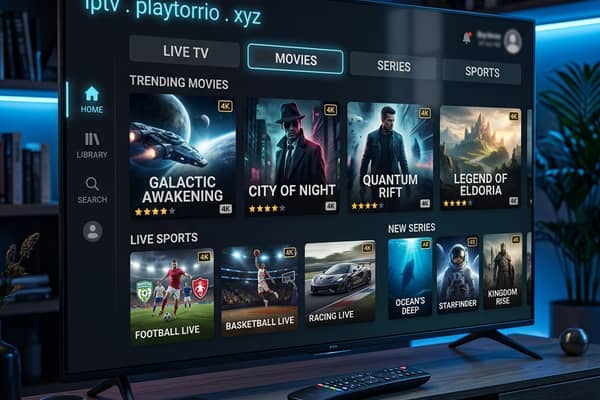
Discover IPTV PlayTorrio: Your Ultimate Streaming Guide for 2026
An essential guide to IPTV PlayTorrio for optimal streaming.